Week 2


What I Have Learned
I have gotten much more familiar with Photoshop and Maya over the last week but I also learned that using photoshop to make my silhouettes was a lot more efficient than in Maya, once we start adding more deatils I can see Maya being quite useful though.
Problems I Have Encountered and Solutions
One major problem in the beginning was figuring out photoshop but as time went on I built an understanding of the basics of the software and the guide on Learn was helpful. I also had some issues with finding good inspiration in a Victorian Gothic theme, other than architecture there are not many examples online of other aspects of that theme. we have made do with what we found and we had to get a bit more creative with our character design but that has been quite fun.
Aesthetics
I have been working more on the vehicle while my partner has been working more on the character so I will mainly discuss my aesthetic choices in the design ideas for the vehicle so far.
The theme we are using is Victorian Gothic, the live inspiration is saltwater fish and our vehicle travels through air and water.
I took a lot of inspiration from flying fish, most of my silhouettes have a long, thin body with wings and I incorporated some points and jagged edges to include the Victiorian Gothic theme. One way to do this was to incorporate the nose of a swordfish and combine it with church spires of the Victorian Gothic era.
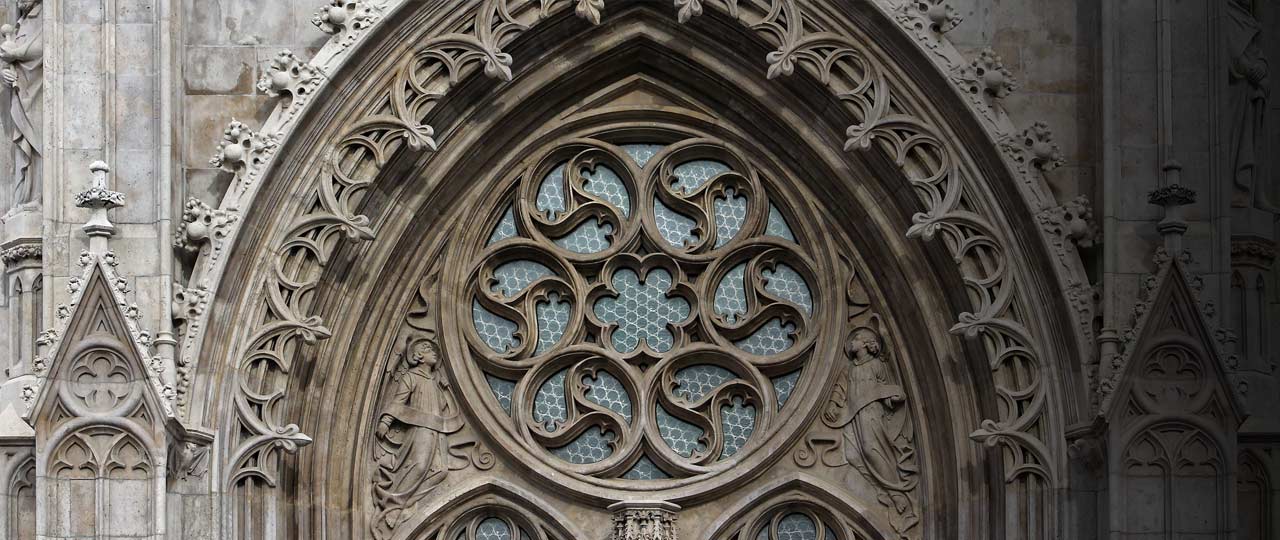
I really like the idea of creating a silhouette and shape of a fish and then incorporating the victorian gothic theme for the finer details, an idea I had was making the windows in the style with those small glass panes and lots of different designs over it. Mostly inspired by this image which is on my mood board:
Technical Notes
Photoshop Shortcuts:
To warp a shape: ctrl + T, then right click and click on warp
New Layer: ctrl + shift + N
Feedback
Eash:
Mood Board
- Could use more images
- Images are clear and concise
- Could use better annotations in what aspect of image you like
Thumbnail
- Good variation
-Nice and simple
Comments
Post a Comment